
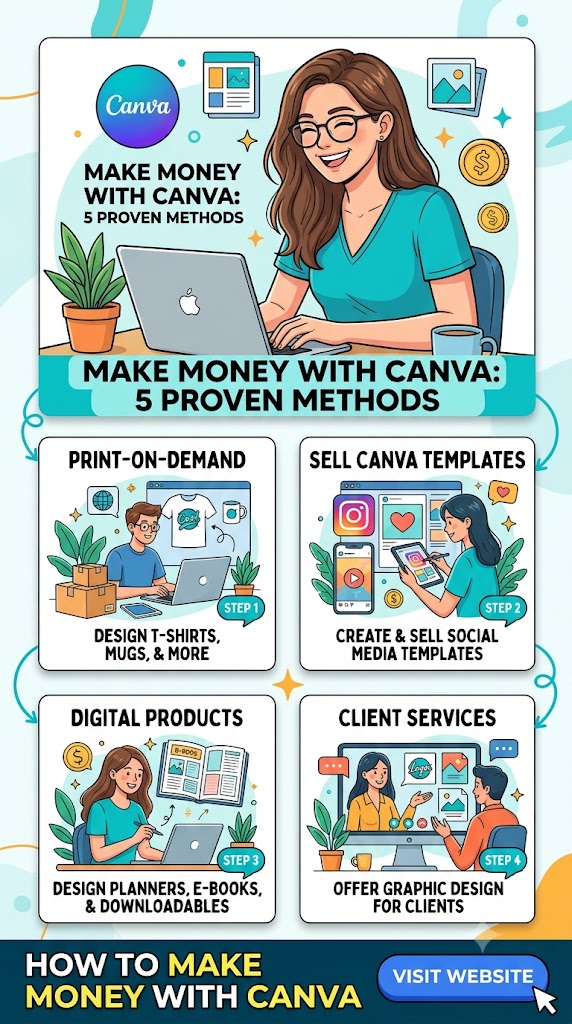
The Ultimate Guide That How You Can Earn
Canva has evolved from a simple graphic design tool into a global creative ecosystem with over 265 million monthly active users and $4 billion in annual recurring revenue. While its primary purpose remains making design accessible to everyone, Canva has also created a vast economic opportunity for creative individuals. Whether you’re a designer, entrepreneur, or someone looking for a side hustle, Canva offers multiple paths to generate income.
This comprehensive guide explores the most effective ways to monetize Canva, from selling templates on marketplaces to building a Canva app business.
Part 1: The Canva Creator Program
The Canva Creator Program is the platform’s official way for designers to earn passive income by contributing elements and templates to Canva’s marketplace. When users incorporate your content into their designs, you earn royalties.
What You Can Create
Canva Creators can publish two main types of content:
Templates are customizable layouts for various design needs—presentations, social media graphics, videos, t-shirts, brochures, flyers, posters, and more. The Template Creator program is currently in beta and onboarding a limited number of designers who must apply with a portfolio.
Elements are design assets like photos, graphics, illustrations, vector art, icons, and stickers. Anyone can sign up to contribute elements, though signups are currently paused due to popularity—you can register your interest for when they reopen.
How Earnings Work
Creators receive royalties based on their content’s performance. There are separate royalty pools for elements and templates, which grow with Canva’s subscription revenues and are calculated monthly. For templates, royalties depend on usage frequency (downloads, prints, or presentations). For elements, royalties depend on Pro element usage (exports).
The passive nature of this income is a key selling point—once your content is live, it can earn royalties around the clock, even while you sleep.
Who Can Join
The program welcomes graphic designers, photographers, illustrators, artists, and subject matter specialists of every experience level. There’s also a specialized Education Specialty Creator program for qualified teachers who create educational resources.
All submissions undergo a review process to meet Canva’s design requirements. If your work meets their standards, you can build a steady stream of passive income over time.
Part 2: Selling Canva Templates on Third-Party Platforms
While the Creator Program allows you to earn royalties through Canva’s marketplace, many creators choose to sell templates directly on platforms like Etsy, Creative Market, or through their own websites. This approach offers greater control over pricing and branding.
Why Templates Sell
The demand for Canva templates is massive. With over 265 million active users across 190 countries, countless people need ready-made designs but lack the time or skills to create them from scratch. A single template can sell hundreds or even thousands of times with no additional work after publishing—making it a scalable passive income stream.
Creating Templates That Sell
Research your market before designing anything. Browse platforms like Etsy and see what’s already selling. Look at autocomplete suggestions and popular search terms. The strongest shops feel unified in their niche rather than scattered across different categories.
Focus on high-demand niches that consistently perform well:
- Coaches and consultants need welcome kits, workbooks, and client guides
- Wedding planners require invitations, seating charts, and signage
- Course creators want lead magnets, slide decks, and planners
- Real estate agents need listing presentations and buyer guides
- Small business owners seek price lists, ads, and social media graphics
Design for easy customization—your customers likely aren’t designers. Group related elements, name pages and layers clearly, use placeholder text like “Your Business Name,” and keep fonts and color palettes simple. Adding a “Start Here” page explaining how to customize elements can save you countless customer support questions.
Test before selling. Open your template using the shared link exactly as a buyer would. Check that everything edits properly and fonts display correctly. A quick test can prevent hours of support headaches.
Where to Sell
Etsy offers built-in traffic with 400 million monthly visitors, making it the most beginner-friendly option. The competition is stiff, but the built-in audience is invaluable.
Creative Market attracts a more design-savvy audience and requires approval, but buyers expect professional-level designs and are willing to pay higher prices.
Your own website using platforms like Shopify or Kajabi gives you full control. Kajabi is particularly popular for selling digital products and offers integrated email marketing capabilities.
Pricing Strategies
Price based on the value your template provides, not just the time you spent creating it. A $15 Instagram template pack might save a small business owner hours of work each week—that’s a huge return for them.
Check market rates for your niche but don’t copy blindly. Instagram carousel packs typically sell for $10–$20, while larger bundles like full brand kits can command $30–$60 or more.
Bundles increase average order value. Package related products at a small discount—many buyers choose bundles because they feel like better value.
Consider subscriptions once you’ve built 20+ products. Some creators charge a monthly fee for full library access, creating recurring revenue.
Part 3: Canva App Development
For those with technical skills, building apps for Canva’s developer platform represents one of the most lucrative opportunities. Developers have built more than 300 apps, collectively used over 1 billion times.
The Opportunity
Canva launched its developer platform in June 2023, allowing developers to build add-ons that work like Chrome extensions for Canva. The apps appear within the Canva interface, integrated into tabs like Text, Elements, and Photo Editor, plus within Canva Docs.
Monetization Options
External payment links represent the simplest approach. You can integrate Stripe Payment Links for one-time or recurring payments. A typical model might be $16/month or $120/year, with a 3-day free trial recommended to encourage conversion.
Implementation requires careful planning. The key technical flow involves sending the userToken from your app to your backend, verifying it with Canva, and generating a Stripe Payment Link with a stable internal user ID in the client_reference_id. Listen for Stripe’s checkout.session.completed webhook event to confirm payment and update your database.
Critical security note: Never place the raw Canva user token in a URL. A short-lived JWT should never be exposed in browser history, referrer headers, or third-party analytics.
Best Practices for App Monetization
Manage subscriptions effectively. Customers need an easy way to cancel or downgrade. Stripe’s customer portal can handle this—customers enter their email, receive a magic link, and manage their subscription including cancellations and viewing invoices.
Protect against chargebacks. Add Stripe Radar rules to block high-risk customers and automatically resolve disputes. When a chargeback occurs, cancel the subscription immediately to prevent future disputes. Many customers who chargeback don’t cancel first, resulting in further charges and disputes.
Send trial conversion reminders. Many customers forget they signed up for a free trial and get angry when billed. Set up automatic email reminders before the trial converts to paid.
Prevent duplicate subscriptions. Some customers click the checkout button multiple times, accidentally starting multiple subscriptions. Enable Stripe’s setting limiting each customer to one subscription.
Consider purchasing parity. Canva users are global, and customers in lower-income regions may struggle to pay North American prices. Set up geo-based discounts to make your app accessible worldwide.
Use a dedicated support email. Don’t use your personal email for Stripe support—customer inquiries (often about refunds) will overwhelm your inbox.
Canva’s Developer Fund
Canva maintains a $50 million developer innovation fund that rewards apps participating in their monetization program based on aggregate usage. This provides an additional revenue stream beyond direct customer payments.
Part 4: Service-Based Income
Beyond passive income through products and apps, you can offer services using Canva.
Freelance Design Services
Use Canva to create logos, presentations, T-shirt mockups, banners, and website materials for clients. Build a professional portfolio to attract clients and demonstrate your capabilities.
Specialized services that are particularly in demand include:
- Product packaging design for small businesses
- Social media graphics (Instagram posts, TikTok visuals)
- Custom invitations for weddings and events
- Logo and banner design for companies
Digital Product Creation
Design and sell eBooks or comics on Canva. Recipe books, gardening guides, gaming tutorials, and similar niche content can generate steady income. The platform’s panel layouts make creating comics accessible even for those without illustration skills.
Create worksheets for preschool and elementary students, as well as planners and organizers for adults. These educational products sell consistently.
Design course materials for online courses—presentation slides, posters, proposals, and even video content directly within Canva. This is particularly valuable if you have specialized expertise.
Print Design Services
Offer design services for business cards, flyers, menus, posters, and other printable materials. Small businesses with physical products consistently need eye-catching printed materials.
Part 5: Affiliate Marketing
The Canva Affiliate Program allows you to earn commissions by promoting Canva to others. Every time someone signs up using your affiliate link, you earn a commission.
This works particularly well if you’re a blogger, vlogger, or content creator who regularly uses Canva. You can showcase your work while earning from referrals.
Using Canva to Market Yourself
You don’t need to be promoting Canva to benefit—many creators use Canva to strengthen their personal branding through custom blog designs, banners, logos, and product mockups. Professional-looking marketing materials help build credibility and attract higher-paying clients.
Part 6: Leveraging AI to Accelerate Your Canva Business
With Canva’s deep integration with AI tools like ChatGPT and Claude, creators have new ways to accelerate their business.
AI-Powered Design
Canva’s AI features can generate elements, photos, videos, textures, and 3D graphics directly on the canvas. The Canva Design Model, the world’s first model trained to understand design logic, can orchestrate layout and generate fully editable content in seconds.
ChatGPT as a Business Assistant
Many creators use ChatGPT alongside Canva to generate profitable design ideas, craft compelling copy for templates, and create product listing descriptions that drive clicks and conversions.
Useful prompts include:
- “Give me 4 profitable digital product ideas I can build in Canva and sell on Etsy”
- “Create a 6-page lead magnet outline for [niche] with callouts, headlines, and placeholders”
- “Write Instagram carousel copy with attention-grabbing headlines and concise tips on [topic]”
- “List 2 ways to repurpose my Canva designs into new products I can resell”
Part 7: Advanced Strategy—Bundling and Scaling
Once your Canva business is established, focus on scaling.
Product Bundling
Offering complementary products increases average order value. Create themed bundles like “Social Media Kit for Entrepreneurs” or “Branding Templates for Coaches.” Buyers are more likely to purchase a complete package than a single template.
Automation
Automate repetitive tasks including customer communication, marketing, and template delivery. Set up automated email sequences to nurture your list, upsell existing customers, and re-engage lapsed buyers. Platforms like Kajabi or Gumroad can handle automated template delivery upon purchase.
Memberships and Subscriptions
After building 20+ products, consider a subscription model. Some creators charge monthly for full library access with updates included. This transforms your business from transactional to recurring revenue.
Social Media Marketing
Instagram works well for showcasing templates in action. Share carousel posts, stories, and behind-the-scenes content showing your design process. Customer testimonials build trust.
Pinterest is search-driven and highly effective for template sales. Create eye-catching pins optimized with relevant keywords so they appear when users search for relevant templates.
Short video content on platforms like TikTok or Reels can outperform static images, showing how a plain design transforms into something polished.
Choosing Your Path
Each monetization strategy requires different skills and investment levels:
| Path | Skills Required | Investment | Income Potential | Best For |
|---|---|---|---|---|
| Canva Creator Program | Design, illustration, photography | Minimal | Passive, variable | Creators of all levels |
| Selling Templates | Design, marketing, market research | Low (Canva Pro subscription) | Highly scalable | Entrepreneurs |
| App Development | Programming, Stripe integration | Technical skills | High, recurring | Developers |
| Freelance Services | Design skills, client management | Low | Active income | Designers with clients |
| Affiliate Marketing | Marketing, audience building | Low | Commission-based | Content creators and bloggers |
Getting Started
For most people, the fastest path to income starts with selling templates on marketplaces. It requires the lowest barrier to entry—you can start with just a Canva Pro subscription ($14.99/month) and free access to platforms like Etsy.
Research what’s trending, pick a niche that aligns with your interests, and create templates that are easy to customize. Price them fairly, present them professionally, and learn from customer feedback. As your shop grows, add more products and consider expanding to your own website for greater control.
The success stories are real—one creator built a $1.4 million Canva template business in under three years while working less than 10 hours a week. With Canva’s massive and growing user base, the opportunity has never been more accessible.