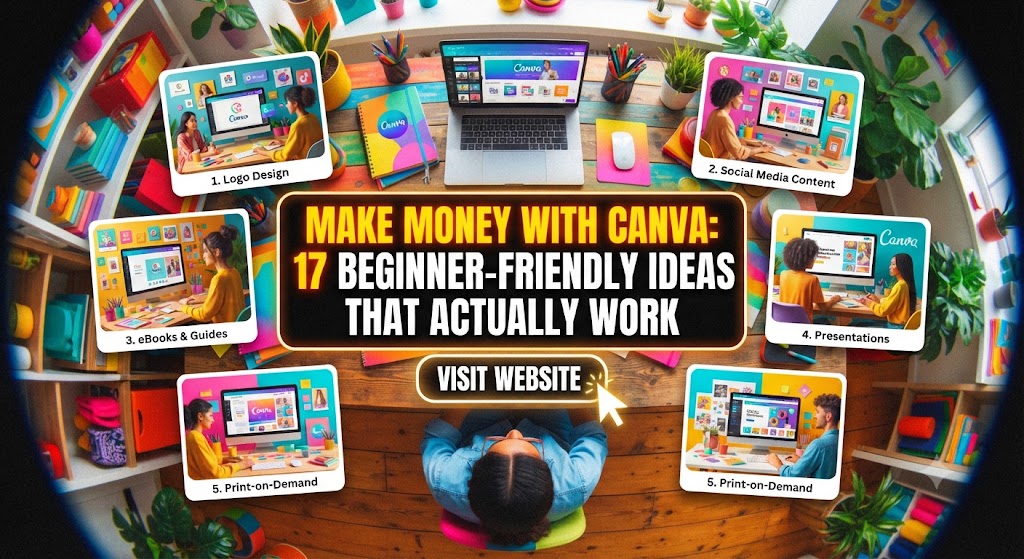
Making Money With Canva: A Beginner’s Roadmap to Financial Freedom
In the modern digital economy, the barrier to entry for creative entrepreneurship has never been lower. Gone are the days when you needed a four-year degree in Graphic Design and a high-end subscription to the Adobe Creative Suite to make a living from visual content. Enter Canva—the revolutionary design tool that has democratized the world of aesthetics.
Whether you are a stay-at-home parent, a college student, or someone looking to escape the 9-to-5 grind, Canva offers a goldmine of opportunities. But how do you go from “clicking around” to “cashing in”? This comprehensive guide will walk you through every high-paying avenue available to beginners, teaching you how to turn your creativity into a scalable business.
Why Canva is the Perfect Side Hustle for Beginners
Before diving into the “how,” we must understand the “why.” Canva’s success lies in its simplicity. Its drag-and-drop interface, combined with thousands of pre-made elements, allows anyone with an eye for color and layout to produce professional-grade work.
- Low Overhead: You can start with the free version and upgrade to Canva Pro only when you start making money.
- High Demand: Every business—from the local coffee shop to the global tech startup—needs visual content.
- Scalability: You can sell one design a thousand times (digital products) or offer high-ticket custom services.
- Built-in Assets: Access to millions of stock photos, fonts, and graphics means you don’t need to be an illustrator to create art.
1. Selling Editable Canva Templates
This is perhaps the most popular and passive way to earn money with Canva. Instead of selling a finished JPEG, you sell a “Template Link” that allows your customers to edit the design themselves.
Why Templates are a Goldmine
Small business owners are busy. They know they need an Instagram presence, but they don’t have the time to design every post from scratch. They would gladly pay $20–$50 for a pack of 50 templates that they can just plug their text into.
Top Selling Template Niches
- Social Media Bundles: Instagram posts, Reels covers, Pinterest pins, and TikTok backgrounds.
- Business Stationery: Brand boards, business cards, thank you notes, and invoice templates.
- Wedding & Event Stationery: Editable invitations, “Save the Date” cards, and seating charts.
- Lead Magnets: E-book layouts, checklists, and workbook templates for coaches.
- Real Estate Marketing: Open house flyers, “Just Listed” social posts, and buyer guides.
Where to Sell
- Etsy: The go-to marketplace for digital downloads.
- Creative Market: A higher-end marketplace for professional designers.
- Your Own Website: Using Shopify or Stan Store to keep 100% of the profits.
2. Print on Demand (POD) with Canva
Print on Demand is a business model where you design products, but a third-party supplier handles the printing and shipping. Your job is purely the design work in Canva.
How it Works
- Create a design in Canva (e.g., a catchy quote or a minimalist illustration).
- Upload it to a POD platform like Printful, Printify, or Redbubble.
- When a customer buys a t-shirt or mug with your design, the platform prints and ships it.
- You keep the difference between the base cost and your retail price.
Crucial Tip: Licensing Rules
To make money legally, you must understand Canva’s licensing. You cannot simply take a single “Pro” element, put it on a t-shirt, and sell it. You must create a new design by combining multiple elements, fonts, and layouts to form a unique composition.
3. Become a Freelance Social Media Manager
Many small businesses have a budget for marketing but not enough to hire a full-scale agency. As a Canva-savvy freelancer, you can offer “Social Media Management” packages.
Services You Can Offer
- Content Calendars: Designing 30 days of posts in advance.
- Brand Identity Kits: Creating a consistent look with specific fonts and colors.
- YouTube Thumbnail Design: High-CTR thumbnails are in massive demand for creators.
- LinkedIn Carousel Posts: These are currently performing very well for B2B clients.
How to Find Clients
Don’t just wait for people to find you on Fiverr. Use “The Audit Method.” Find a local business with a messy Instagram feed, create five sample posts using their logo and colors in Canva, and send them a DM. Show them what their brand could look like.
4. Creating and Selling Digital Printables
Printables are files that the customer buys and prints at home. This is the ultimate “set it and forget it” business.
Popular Printable Ideas
- Educational Resources: Flashcards, alphabet tracing sheets, and classroom posters for teachers (sell these on Teachers Pay Teachers).
- Organization Tools: Meal planners, fitness trackers, budget sheets, and habit trackers.
- Wall Art: Minimalist line art, motivational quotes, or nursery decor.
- Planners: Daily, weekly, and monthly planners are perennial bestsellers on Etsy.
5. Designing Professional Presentations and Pitch Decks
In the corporate world, time is money. Executives and startup founders often have great ideas but terrible slide decks. A professional, visually engaging presentation can be the difference between getting funded or being ignored.
The Opportunity
You can charge a premium for presentation design (often $15–$50 per slide). Use Canva’s “Presentation” mode to create stunning layouts, then export them as PowerPoint files or share them as “Live” Canva links.
What to Focus On
- Investor Pitch Decks: Clean, data-driven, and persuasive.
- Webinar Slides: High-energy, engaging visuals for online coaches.
- Course Slides: Organized layouts for educators launching digital courses.
6. Self-Publishing with KDP (Kindle Direct Publishing)
Amazon KDP allows you to publish “Low Content Books.” These are books with little to no text, like journals, diaries, and coloring books.
How to Use Canva for KDP
- Interior Design: Create 100 pages of lined paper, dot grids, or logbook entries (e.g., a “Wine Tasting Log” or a “Password Tracker”).
- Cover Design: Use Canva’s custom dimensions to design a wrap-around book cover.
- Upload: Save as a “PDF Print” and upload to Amazon.
Amazon prints and ships the book whenever someone orders it, and you earn a royalty. The “Logbook” niche is particularly lucrative because people use them up and need to buy more.
7. The Canva Creator Program
If you are exceptionally good at design, why not get paid by Canva itself? The Canva Creator Program allows designers to submit templates and elements directly to the Canva library.
How it Works
- Template Creators: You design templates (like a flyer or Instagram post). When Canva users use your template, you get paid based on its popularity.
- Element Creators: If you are good at drawing or photography, you can upload individual icons, illustrations, or photos. Every time a Pro user uses your element in their design, you earn a royalty.
Note: This program is currently application-based and can be competitive, so ensure your portfolio is top-tier.
8. Designing High-Converting Ad Creatives
In the world of E-commerce, the “Creative” (the image or video used in an ad) is the most important factor in whether an ad succeeds.
The Service
Help Shopify store owners by designing Facebook, Instagram, and Pinterest ads. Use Canva’s video editing features to create short, punchy “User Generated Content” (UGC) style ads.
Why it Pays Well
Because ads are directly tied to a business’s revenue, clients are willing to pay more. If your design helps them sell $10,000 worth of products, a $500 fee for a set of ad creatives seems like a bargain.
9. Creating and Selling Online Courses about Canva
Once you have mastered the tool, you can teach others. There is a massive market of people who are intimidated by technology and want someone to show them the ropes.
Where to Teach
- Udemy/Skillshare: Great for reaching a global audience with pre-recorded videos.
- YouTube: Build an audience by sharing tips and tricks, then monetize through ads and sponsorships.
- Live Workshops: Host a 2-hour “Canva for Real Estate Agents” Zoom call and charge $49 per seat.
Advanced Strategies for Maximizing Your Canva Income
To truly move from a beginner to a high-earning pro, you need to implement these professional strategies:
1. Leverage Canva AI (Magic Studio)
Canva has integrated powerful AI tools. Use “Magic Expand” to fix photo framing, “Magic Edit” to swap out objects in a photo, and “Magic Switch” to instantly turn a presentation into a blog post. Using AI allows you to work 5x faster, increasing your hourly rate.
2. Master Search Engine Optimization (SEO)
Whether you are on Etsy or Fiverr, you need to be found.
- Keywords: Use tools like eRank (for Etsy) or Google Keyword Planner to find what people are searching for.
- Titles: Instead of “Blue Invitation,” use “Modern Minimalist Dusty Blue Wedding Invitation Template, Editable in Canva.”
- Tags: Use all available tag slots with descriptive phrases.
3. Build a Portfolio
You need a “Home Base.” Even a simple Canva Website (yes, Canva can host websites!) showing your best work will make you look infinitely more professional than someone just sending a link to a Google Drive folder.
4. Create “Product Bundles”
The perceived value of a bundle is always higher than individual items. Instead of selling one Instagram post template for $2, sell a “Social Media Starter Kit” with 50 posts, 20 stories, and 5 highlight covers for $27. It’s the same amount of marketing effort for 10x the profit.
5. Focus on Niche Markets
Don’t just be a “Graphic Designer.” Be “The Pinterest Expert for Vegan Food Bloggers” or “The Brand Designer for Eco-Friendly Skincare Brands.” When you niche down, you can charge more because you understand that specific industry’s pain points.
Step-by-Step Action Plan for Beginners
If you want to make your first $1,000 with Canva, follow this 30-day plan:
- Week 1: Mastery & Niche Selection. Spend 2 hours a day watching Canva tutorials. Choose one niche (e.g., Etsy Printables or Social Media Management).
- Week 2: Product Creation. Create your first 10 products or 10 portfolio pieces. Focus on high quality over high quantity.
- Week 3: Setup. Open your Etsy shop, Fiverr profile, or launch your portfolio website. Focus heavily on SEO and attractive “Mockups” (showing your design on a real phone or in a real frame).
- Week 4: Promotion. Share your work on Pinterest and TikTok. Pinterest is a visual search engine and is the #1 traffic driver for Canva creators.
Common Pitfalls to Avoid
- The “Pro” Trap: Don’t use Pro elements in templates you sell to Free users unless you warn them. If they have to pay Canva to download your template, they might leave a bad review. Stick to Free elements for templates when possible.
- Copyright Infringement: Never copy another designer’s work. Use them for inspiration, but always add your unique twist.
- Giving Up Too Soon: Like any business, it takes time for the algorithms to find you. Consistency is the secret sauce.
Conclusion: Your Creative Journey Starts Now
Canva is more than just a design tool; it’s a bridge between your current financial situation and a life of creative freedom. You don’t need to be an “artist” in the traditional sense. You just need to be a problem solver who uses visuals to provide value.
Whether you choose to sell templates, manage social media, or design book covers, the opportunity is massive. The digital world is hungry for content, and with Canva in your toolkit, you are perfectly positioned to feed that hunger.
Start today. Design your first template, upload your first gig, or create your first printable. The only way to fail is to never begin.